 Builder Docs
Select the app and choose Edit from the browser toolbar. Manual and inline AI edits change the draft; publishing is a separate step.
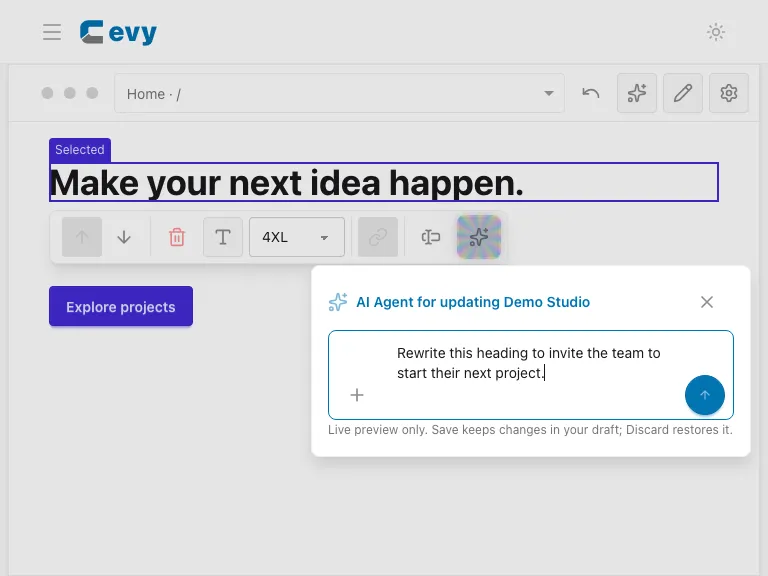
- In Edit mode, select the element to change.
- Choose Ask AI in the floating selection controls.
- Verify the scope. Keep it on the selected element for a focused change; broaden it only when you intend to modify more content.
- Describe the requested result and any constraints. For example: “Rewrite this heading to invite the team to start their next project.”
- Run the request and wait for the preview to finish.
Keep instructions specific. State which text, layout, or colors must remain unchanged, and explain any attachments. Do not submit another edit while a proposal is still being generated or reviewed.