 Builder Docs
Select the app and choose Edit from the browser toolbar. Manual and inline AI edits change the draft; publishing is a separate step.
Inspect the preview before choosing an action. Save keeps the proposed changes in the draft; Discard rejects the proposal. If a request fails, read the status message and retry only after resolving the problem. A stopped or incomplete request should still be reviewed carefully.
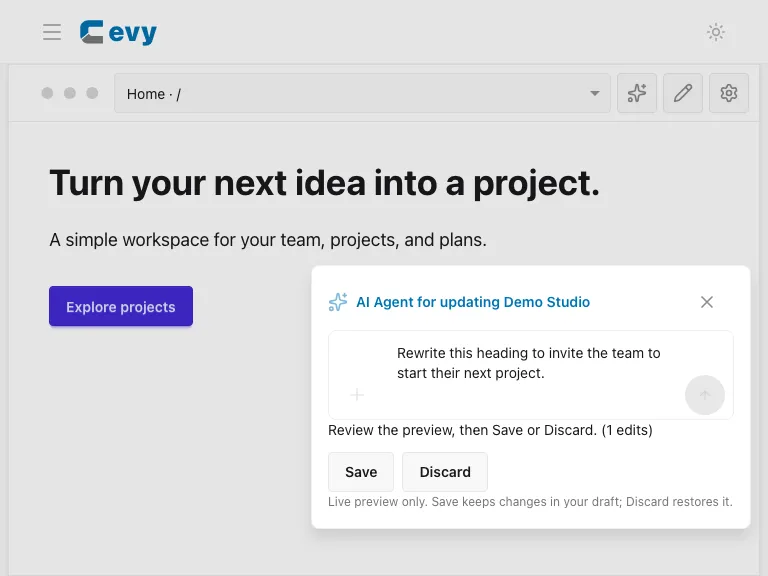
This screenshot uses a deterministic demo response so the documentation can be regenerated without sending data to an AI provider. Your real result depends on the selected content and instruction.
After accepting the proposal, review the full page and publish using the toolbar Save action. Use Open app to verify the published result.