 Builder Docs
Select the app and choose Edit from the browser toolbar. Manual and inline AI edits change the draft; publishing is a separate step.
- Open the browser toolbar actions menu and choose Edit.
- Click the element on the canvas that you want to change, such as a heading.
- Check the selected element in the right-hand inspector. Selecting a container instead of its heading gives you different controls.
- Edit the text in the Text field and choose Save text. If the selection contains several text fields, save the field you changed.
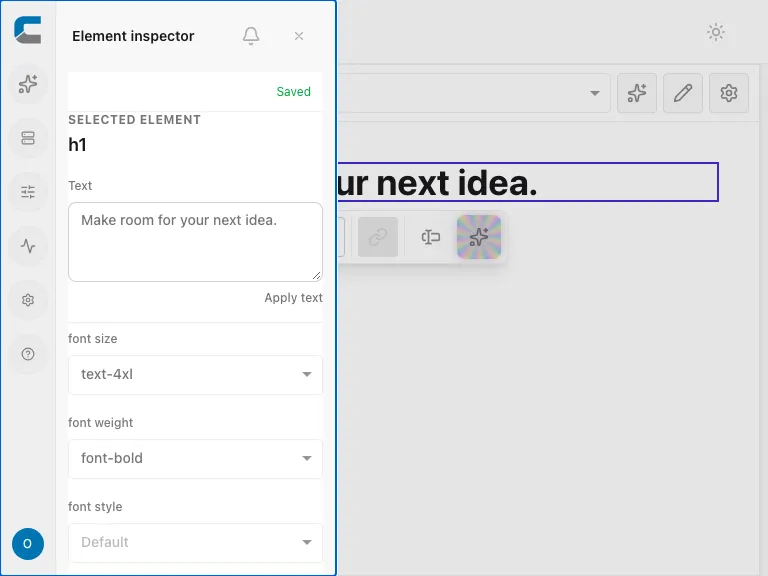
The inspector depends on the selected element. Links can expose a URL; images can expose source, alternative text, dimensions, loading options, and replacement controls. Dynamic or read-only content may not be directly editable. If the expected field is missing, check the selection and any read-only notice rather than changing a neighboring element.