 Builder Docs
Select the correct app, then open the browser toolbar. Its actions apply only to that app.
Open the pencil/eye actions menu and choose Edit, highlighted in the screenshot. Then select an element on the canvas. Until you select one, the right-hand inspector shows Select an element; afterward it shows the element's editable text, attributes, and supported styles. On narrow screens you may need to open the inspector using its panel toggle.
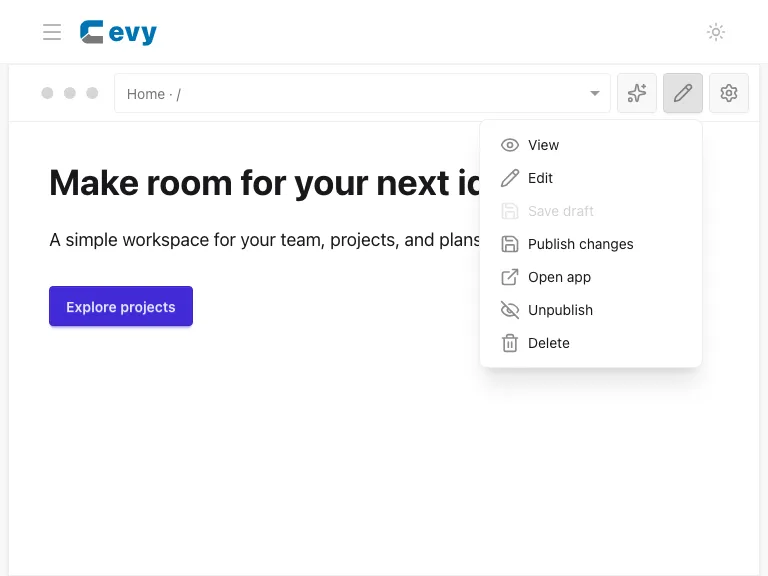
See Manual editing for the selection and save workflow.