 Builder Docs
Open Customer Support from the Help sidebar, choose the organization, then select a ticket number from the ticket list.
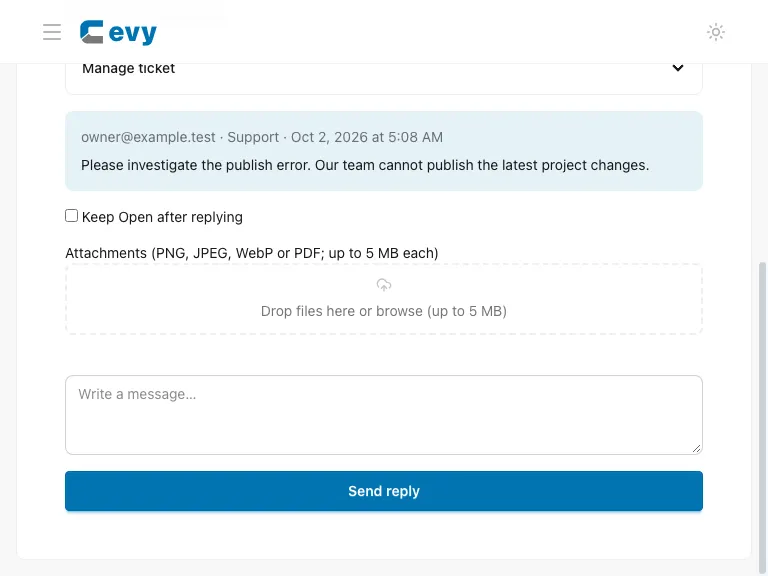
Write your message and choose Send reply. Support replies normally set the ticket to Pending, meaning support is waiting for the tenant. Admins can select Keep Open when work is continuing. A tenant reply returns the ticket to Open.
Open Manage ticket (Cevy admin) or Close or reopen ticket (tenant) to change status. Closed tickets must be reopened before another reply is accepted. Only Cevy admins can place a ticket On hold, and a public explanation is required.
If another person changed the ticket while you were editing its details, saving returns a conflict. Refresh, review the current values and retry. Your message draft is not replaced by that refresh.
Assignment
Cevy admins can assign a ticket to any active Cevy admin, reassign it, or choose Unassigned. Assignment changes do not change status. Changes appear in the conversation timeline.
An assigned ticket alerts its eligible assignee. An unassigned ticket alerts all active Cevy admins. If an assignee becomes unavailable, new alerts go to all active admins until the assignment is updated.
Attachments
Supported files are PNG, JPEG, WebP and PDF, up to 5 MB per file and five files per message. File contents are checked rather than trusting the filename. Uploaded files are private: only the uploader can download an unsubmitted file, and only authorized ticket participants can download a submitted attachment.
Attachments download as files rather than opening as active page content. Unsubmitted uploads expire after 24 hours. Closing a ticket does not delete its messages or attachments.
Notifications and email
Ticket creation sends a requester acknowledgement and staff alert. Replies, assignment changes and status changes notify the appropriate participants; duplicate recipients are removed. Priority-only edits and viewing a ticket do not send email. Recent updates lists your accessible ticket notifications.
Ticket updates also appear in the Notifications bell with unread counts and links to open the ticket. Cevy admins receive their authorized ticket alerts across tenants, even without tenant membership. Opening the inbox and marking updates as read rechecks ticket access.
Ticket email notifications are mandatory and always enabled; there is no opt-out control. Other notification preferences do not disable ticket emails. Mail uses the builder's existing SMTP configuration and your verified account address. Permissions are checked again before queued email is sent.
Emails contain a brief status summary and View ticket link—not the full conversation or attachments. Sign in to view the ticket. Reply in the support workspace, not by replying to the email.
If SMTP is unavailable, the ticket remains saved and mail waits in the existing notification queue. Administrators see a mail configuration warning. A successful ticket submission is not a promise that email has reached an inbox.
Suspended organizations
Active members of a suspended organization can still visit /support to discuss reinstatement. This does not restore access to suspended apps. Removed or suspended members cannot open the organization's tickets or download attachments.