 Builder Docs
Select the correct app, then open the browser toolbar. Its actions apply only to that app.
- Select the app you want to change.
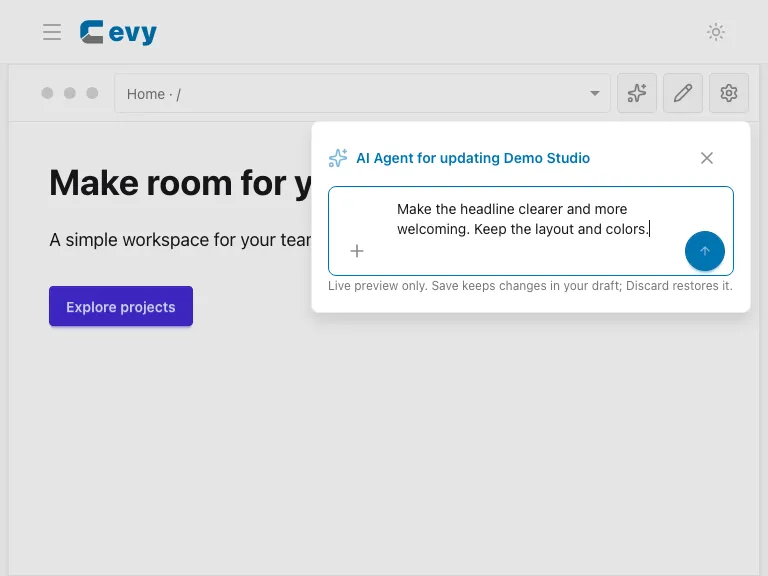
- Choose the sparkle button in the browser toolbar.
- Describe the outcome, the content to change, and what should stay the same. For example: “Make the headline clearer and more welcoming. Keep the layout and colors.”
- Check the scope before running the request. A page-wide request is different from changing one selected element.
- Review the proposed preview. Save the proposal to keep it in the draft, or Discard it to return to the previous draft.
Attachments can provide visual references or assets. Give each attachment instructions explaining its purpose. Do not include passwords, private keys, or unrelated personal information in prompts or screenshots.
For an element-specific request, see Inline AI editing, then Review an AI proposal. AI results vary; the review screenshot uses a fixed demo response, not a promise of a particular result.